
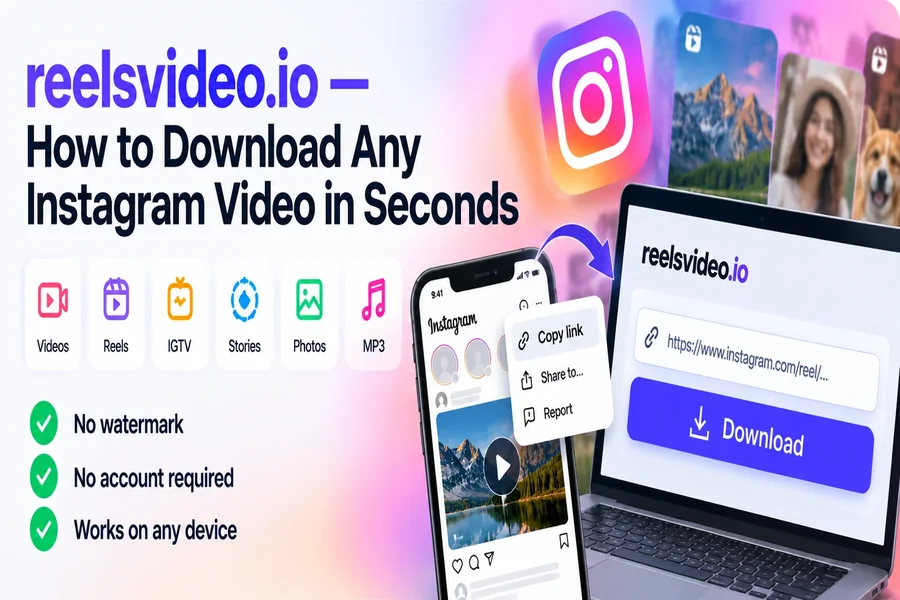
Reelsvideo.io — How to Download Any Instagram Video in Seconds
Reelsvideo.io is a free browser-based tool for downloading public Instagram content — videos, Reels, IGTV, Stories, photos, and audio — without watermarks, without installing anything, and without creating an account. The whole process is three steps: copy the post link in Instagram, paste it into reelsvideo.io, click Download. The original file is on your device in seconds. This guide covers everything the tool supports, how to use it on each device, and the cases where it won’t work.
What reelsvideo.io Supports
| Content type | Output format | Notes |
| Feed videos | MP4 HD | Original quality, no re-encoding |
| Reels | MP4 HD | Vertical format, full audio preserved |
| IGTV | MP4 HD | Long-form, same paste-and-download process |
| Stories in Highlights | MP4 HD | Accessible via profile link |
| Photos & carousels | JPG | All slides downloaded at once for carousels |
| Audio extraction | MP3 | Pulled from any video or Reel |
How to Download — Step by Step
Open reelsvideo.io in any browser. Free, no sign-up.
- Open Instagram and find the video, Reel, or photo you want to save.
- Tap the three dots (••• on iPhone, ⋮ on Android) on the post.
- Select Copy link.
- Go to reelsvideo.io and paste the link into the input field.
- Tap Download — the original file saves to your device.
That’s the complete process. No forms, no verification, no account — just the link in, the file out.
On Android
Chrome downloads the file directly to your Downloads folder. It appears in Gallery automatically on most devices. If it doesn’t show up, open your file manager and check the Download folder.
One thing worth knowing: don’t use the in-app browser that opens when you tap a link inside Instagram. Always open Chrome separately for the best results — the in-app browser sometimes blocks file downloads.
On iPhone
Safari sometimes plays the video in the browser instead of saving it. The fix:
- Copy the Instagram link.
- Open Safari and go to reelsvideo.io.
- Paste and tap Download.
- If the video plays in Safari — tap and hold it, then choose Download Linked File.
- The file appears in Files → Downloads.
- To move to Photos: tap the file → Share → Save Video.
Faster option: Chrome on iPhone usually downloads directly without the tap-and-hold step.
On PC or Mac
Open instagram.com in your browser, find the post, click the three dots → Copy link. Open reelsvideo.io in a new tab, paste and click Download. If the video opens in the browser instead of downloading, right-click → Save video as.
Why the Downloaded File Has No Watermark
Instagram stores video files without watermarks on its servers. The watermark you see on Instagram’s own native download feature is added at export time — it’s applied by Instagram’s pipeline when generating a shareable version, not stored in the original file.
reelsvideo.io retrieves the original stored file directly, bypassing that export pipeline entirely. No re-encoding is applied, so there’s no opportunity to add branding — and no additional compression either. The file you receive is what Instagram stores and serves to every viewer of that post.
Scenarios Where reelsvideo.io Won’t Work
- Private accounts — content isn’t publicly served, so no external tool can access it without your credentials.
- Deleted posts — once a post is removed from Instagram’s servers, there’s nothing to retrieve.
- Direct Messages — DM content isn’t accessible via public URLs.
- Content above 1080p — Instagram doesn’t store above 1080p, so no tool can deliver higher resolution than that.
Localized Versions
reelsvideo.io is available in multiple languages — the interface changes, the tool and output are identical:
- reelsvideo.io/pt — Portuguese (Brazil)
- reelsvideo.io/id — Indonesian
- reelsvideo.io/es — Spanish
- reelsvideo.io/ar — Arabic
- reelsvideo.io/fr — French
- reelsvideo.io/vi — Vietnamese
Frequently Asked Questions
Is reelsvideo.io completely free?
Yes. No subscription, no account, no download limits. The site is funded by advertising.
Will the creator know I downloaded their content?
No. Instagram doesn’t notify creators about downloads made through external tools.
Is it safe to use?
Yes. reelsvideo.io only requires the post URL — never your Instagram credentials. It runs over HTTPS and has no mechanism to interact with your account. The only input is the link you paste; the only output is the file you requested.
Paste, Download, Done
Copy the Instagram link, open reelsvideo.io, paste and download. The original HD file is on your device in seconds — no watermark, no installation, no account. Works on Android, iPhone, Windows, and Mac with the same three-step process.