
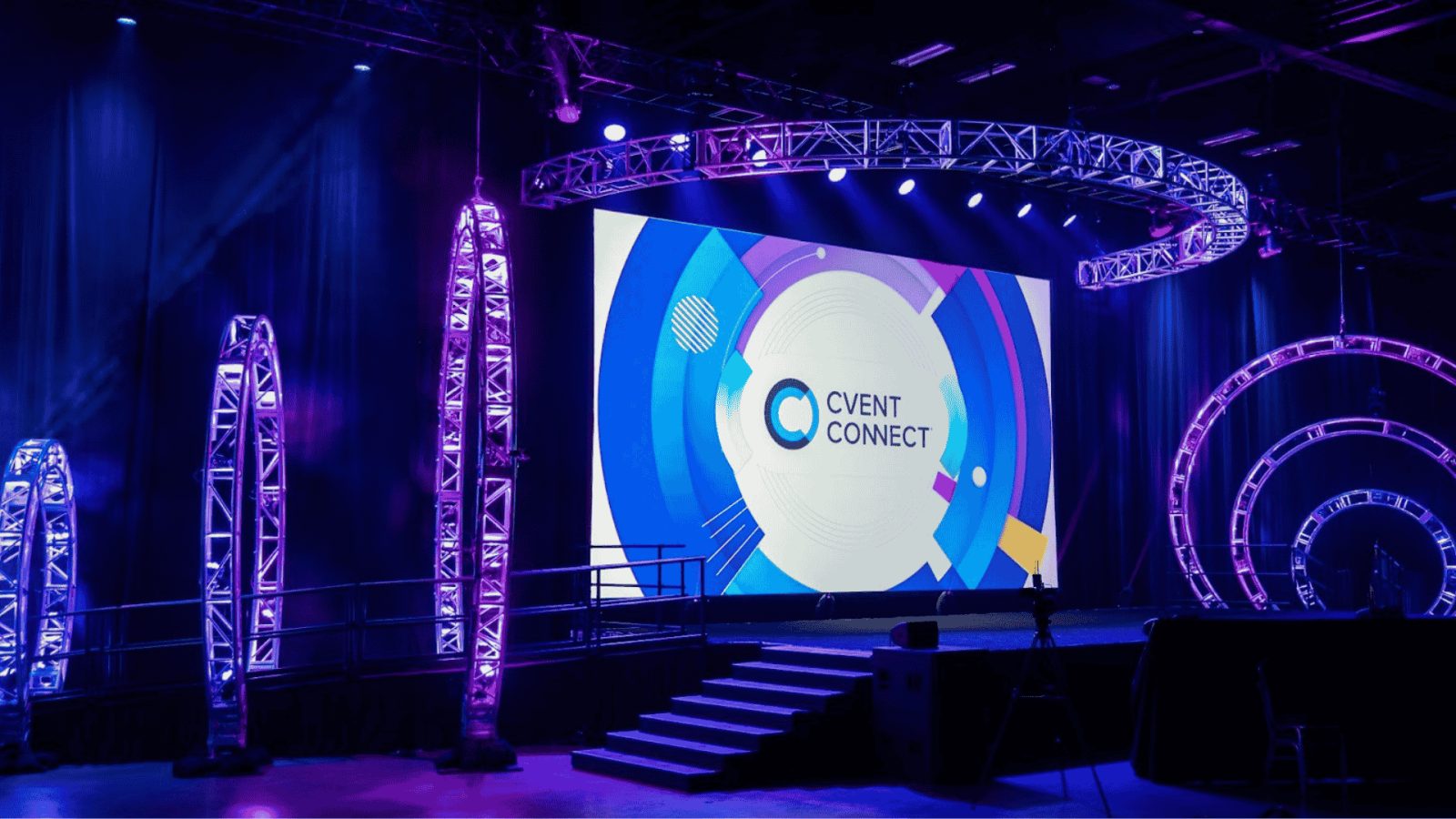
How to Choose the Right Audio-Visual Setup for a Corporate Event
Corporate events depend on clear communication. A keynote speaker needs to reach every person in the room. A product launch needs sharp visuals and carefully timed presentations. A company meeting needs reliable microphones, readable screens, and lighting that keeps the audience focused. Working with an experienced audio video company can help organizers coordinate these technical elements and avoid problems that disrupt the event. The right setup depends on the venue, audience size, event format, and goals. The best audio-visual production supports the message instead of distracting people from it.
Start With the Purpose of the Event
Before renting equipment, define what the event needs to accomplish. A small training session has different technical requirements than a 500-person conference. A product demonstration needs different equipment than an awards ceremony.
Start by identifying the event format and the activities planned for the day.
A corporate conference may include keynote presentations, panel discussions, audience questions, and breakout sessions. A product launch may require a large display, synchronized lighting, video playback, and a carefully timed reveal. An employee town hall may need microphones for leadership presentations, audience participation, and a live stream for remote employees.
Write down the answers to these questions:
- How many people will attend in person?
- Will the event include remote participants?
- How many speakers will appear on stage at once?
- Will presenters use slides, prerecorded videos, or live demonstrations?
- Does the event need recording or live streaming?
- Will attendees ask questions from the audience?
- Are there sponsor presentations or branded visual elements?
These details determine the production requirements.
Build the equipment plan around the program, not around a standard rental package. This approach helps prevent unnecessary spending and reduces the risk of overlooking essential equipment.
Choose Audio Equipment That Makes Every Speaker Easy to Hear
Audio quality has a direct effect on the attendee experience. People may tolerate a simple stage design, but they will struggle to follow a presentation if the speaker sounds distant, muffled, or inconsistent.
The correct audio setup depends on the room’s dimensions, seating arrangement, acoustics, and number of presenters.
Select the right microphones
Different microphones serve different purposes.
- Wireless handheld microphones work well for audience questions, interviews, and panel discussions.
- Lavalier microphones clip onto clothing and allow presenters to move without holding a microphone.
- Headset microphones keep the microphone close to the speaker’s mouth and suit presenters who move frequently or use both hands.
- Podium microphones work for formal speeches delivered from a fixed lectern.
A panel with four speakers and one moderator may need five microphones. An additional handheld microphone can help the audience participate without passing one microphone across a large room.
Always test microphones with the actual presenters whenever possible. Clothing, movement, microphone placement, and speaking volume can affect sound quality.
Plan speaker coverage for the entire room
Louder audio does not automatically mean better audio. The goal is consistent speech clarity from the front row to the back.
A narrow meeting room may need a relatively simple speaker arrangement. A wide ballroom may require several carefully positioned speakers to cover the audience evenly.
Ask the production team to evaluate the room before recommending equipment. The venue’s shape, ceiling height, wall materials, and seating layout all affect sound distribution.
Test the sound from different seating positions. A microphone that sounds clear beside the stage may be difficult to understand at the back of the room.
Assign an audio technician
Microphones, prerecorded videos, walk-in music, and audience questions all create different audio requirements. A qualified technician can adjust levels, manage microphone handoffs, and resolve feedback before it becomes a major distraction.
For conferences with multiple presenters, a dedicated audio operator also helps maintain consistent sound as speakers change.
Select Screens That Match the Venue
Visual equipment should make presentations easy to follow. Attendees need to read charts, recognize product details, and see important information without straining.
The best display depends on the room, ambient lighting, viewing distance, and content.
Projectors and projection screens
Projectors can work well in meeting rooms and conference spaces with suitable light control. They are often useful for slide presentations, training sessions, and educational events.
However, bright windows and strong room lighting can make projected images difficult to see. Organizers should test the display under the lighting conditions planned for the actual event.
Screen placement also matters. Check visibility from the back row and from seats along the sides of the room.
LED video walls
LED walls can provide bright, high-impact visuals for product launches, conferences, and large corporate presentations. They can also serve as branded stage backdrops.
A product launch might use an LED wall to display product imagery, demonstration footage, and campaign graphics. A leadership conference might use it for keynote slides, speaker names, and transitions between sessions.
The display must be sized and configured for the content. A large screen does not compensate for tiny text or poorly designed slides.
Confidence monitors
Confidence monitors allow presenters to view slides, notes, or timing information without constantly turning toward the main screen.
They can be especially useful for keynote speakers, executive presentations, and large stages. The production team should position monitors where presenters can read them naturally without distracting the audience.
Choose displays based on readability, not just visual impact. A screen should make the presentation easier to understand.
Use Lighting to Improve Visibility and Atmosphere
Lighting affects both the audience’s experience and the event’s visual identity. A well-lit speaker appears confident and professional. A poorly lit stage can make presentations difficult to follow and recorded footage look unpolished.
A complete lighting plan usually combines several functions.
Stage lighting illuminates presenters so attendees can see facial expressions and follow movement. It also helps cameras capture clear images.
Ambient lighting creates the overall mood of the venue. Warm lighting can suit a formal dinner, while brighter lighting may work better for a daytime training event.
Accent lighting highlights stage elements, architectural details, signage, or branded displays. It can reinforce company colors without overwhelming the presentation.
Dynamic lighting uses programmed changes to support specific moments. An awards ceremony might use different lighting cues for each award category. A product launch might coordinate lighting with a video or reveal.
Lighting must work with the video system. Excessive brightness on a projection screen can reduce readability. Insufficient stage lighting can leave speakers looking dark on camera.
Plan lighting and video together rather than treating them as separate tasks.
Prepare for Live Streaming and Event Recording
Many organizations want to extend the value of an event beyond the people in the room. Live streaming lets remote employees, customers, and partners participate. Recording creates content that can be shared after the event.
These options require additional planning.
A professional streaming setup may include multiple cameras, video switching, microphones, audio mixing, encoding equipment, and a stable internet connection. Larger productions may also need dedicated operators for the broadcast.
Check the internet connection
Do not rely on a venue’s standard Wi-Fi without testing it. A live stream needs sufficient upload bandwidth and a stable connection.
Ask the venue about dedicated internet access. Test the connection in the actual production space and consider a backup connection if the stream is essential.
Plan camera positions
Camera placement affects how remote viewers experience the event. A single fixed camera may work for a short presentation. A multi-camera production can provide wide shots, close-ups, and views of panel discussions.
Coordinate camera positions with seating, lighting, and stage design. Cameras should not block audience sightlines or interfere with presenters.
Make remote participants part of the program
Hybrid events need more than a camera pointed at the stage. Remote attendees should be able to hear presentations clearly and understand how to participate.
Assign someone to monitor online questions, coordinate remote speakers, and communicate technical issues to the production team.
Test the complete stream before the event begins. Check video quality, audio levels, slide sharing, remote speaker connections, and the audience viewing experience.
Create a Detailed Production Schedule
Even excellent equipment can fail to deliver a smooth event if the production team does not know what happens next.
A run of show documents the event’s sequence, timing, and technical cues. It should identify when speakers enter, which slides appear, when videos play, and how the team transitions between sessions.
For example, a 20-minute keynote might include:
| Time | Action |
| 0:00 | Introductory music begins |
| 0:20 | Opening slide appears |
| 0:30 | Host introduces the keynote speaker |
| 1:00 | Speaker enters the stage |
| 1:15 | Microphone and presentation feed are active |
| 2:00 | Main presentation begins |
| 18:00 | Final slides and closing remarks |
| 20:00 | Speaker exits and transition music begins |
The exact schedule will vary by event. The important point is to document the sequence and assign responsibility for each cue.
Share the final version with the event manager, stage manager, presenters, and technical operators. Designate one person to approve last-minute changes.
A clear run of show reduces confusion and helps the team respond quickly when the schedule changes.
Schedule a Technical Rehearsal
A rehearsal gives the production team time to identify problems before attendees arrive.
Test every microphone, presentation computer, video file, display, and lighting cue. Confirm that presenters can advance slides and that embedded media plays correctly.
Ask speakers to rehearse the transitions that matter most. These might include a product reveal, an executive entrance, a panel handoff, or a live demonstration.
Prepare backup equipment for critical components. Keep spare batteries, appropriate cables, adapters, and backup presentation files available.
Confirm the venue’s setup and access times well in advance. The production team needs enough time to install equipment, test the system, and complete the rehearsal before registration opens.
Never assume that equipment will work simply because it worked at a previous event. Each venue and production configuration introduces different variables.
Understand the Full Production Budget
Audio-visual costs depend on equipment, staffing, venue requirements, setup time, and production complexity.
A small meeting may require a microphone, a display, and basic technical support. A large conference may need multiple screens, a complete sound system, stage lighting, cameras, live streaming, and several technical operators.
Request an itemized quote. Make sure it identifies the equipment, labor, setup, rehearsal, operation, and teardown included in the price.
Ask about additional charges for overtime, equipment changes, transportation, and venue-specific requirements.
Compare proposals based on the complete scope of work. The cheapest quote may exclude an audio technician or the equipment needed for a reliable live stream.
Also confirm who is responsible for coordinating with the venue and other suppliers. Clear responsibilities help prevent duplicated costs and missed requirements.
A realistic production budget accounts for both equipment and the people needed to operate it.
Choose an Audio-Visual Partner With Relevant Experience
The right production partner should understand the type of event you are planning. A team experienced in corporate conferences may be well suited to executive presentations, while a complex hybrid event may require additional broadcast expertise.
Review the company’s experience with similar venues, audience sizes, and production formats. Ask how the team approaches site inspections, technical rehearsals, backup planning, and on-site troubleshooting.
A useful initial conversation should cover:
- Event date and location.
- Expected attendance.
- Venue dimensions and layout.
- Presentation and staging requirements.
- Audio, video, and lighting needs.
- Live streaming or recording requirements.
- Setup and rehearsal schedule.
- Budget range and approval deadlines.
Provide these details before requesting a proposal. The production team can then recommend a setup that meets the event’s actual requirements.
Final Thoughts
A successful corporate event needs more than microphones and screens. It requires a coordinated system that supports speakers, communicates information clearly, and keeps the program running smoothly.
Start with the event’s goals. Evaluate the venue. Choose audio equipment that delivers clear speech and displays that remain readable throughout the room. Plan lighting, streaming, and recording requirements early. Create a detailed production schedule and test the complete setup before attendees arrive.
The right audio-visual setup makes every presentation easier to follow and every important moment easier to experience. Careful planning helps organizations protect their investment, reduce technical risks, and deliver a professional event from the opening remarks to the final session.